The whole team at work.
Especially its agents.
Your team and your clients see what got done and what’s next, all in one place. The agents write it up.
- 1Everyone works with their own AI agent: Claude, Codex, Cursor or any other.
- 2The agent logs what got done and what’s next in cemainou.
- 3Your team and your clients see it all in one place.
What you write to your agent stays with you. Colleagues only see the update you approve.
What you get
Tasks you don’t have to write
From the plan, client feedback, an email or a single sentence to your agent. With everything you need to get started.
Everyone at work, agents too
Everyone sees their own tasks. Their agent picks them up and sees them through, with very little explaining.
Tasks close themselves
When someone finishes, the task closes on its own: when they type /upd to their agent, or through a commit with its number (like “fixes #42”). The client who asked for it hears right away that it’s done.
No status meetings
Progress shows up on its own. The client’s monthly report is ready on the 1st of every month.
From idea
to done.
Say what you want
The lead sums up the plan in one sentence. The agent breaks it into tasks, with due dates and owners.
Everyone gets going
People see their tasks. Their agents pick them up and get to work, each in the tool they prefer.
It closes on its own
When you’re done, type /upd to your agent and the task closes. Your team and your client see it right away.
Here’s what it looks like.
The real app, with made-up people and projects. In the demo, jump in with one click as the lead, a teammate, the collaborator or the client, and try anything; it all resets every hour.
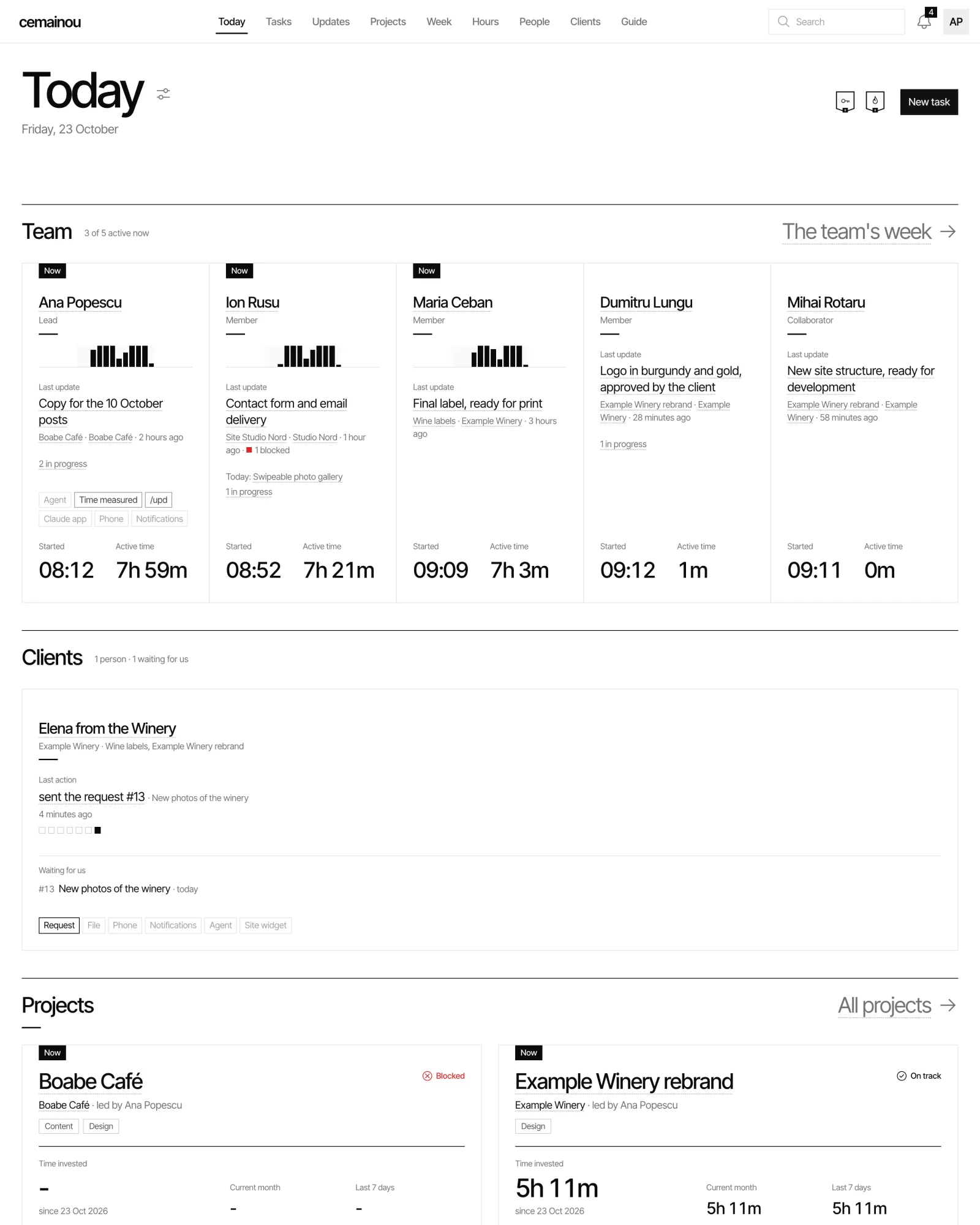
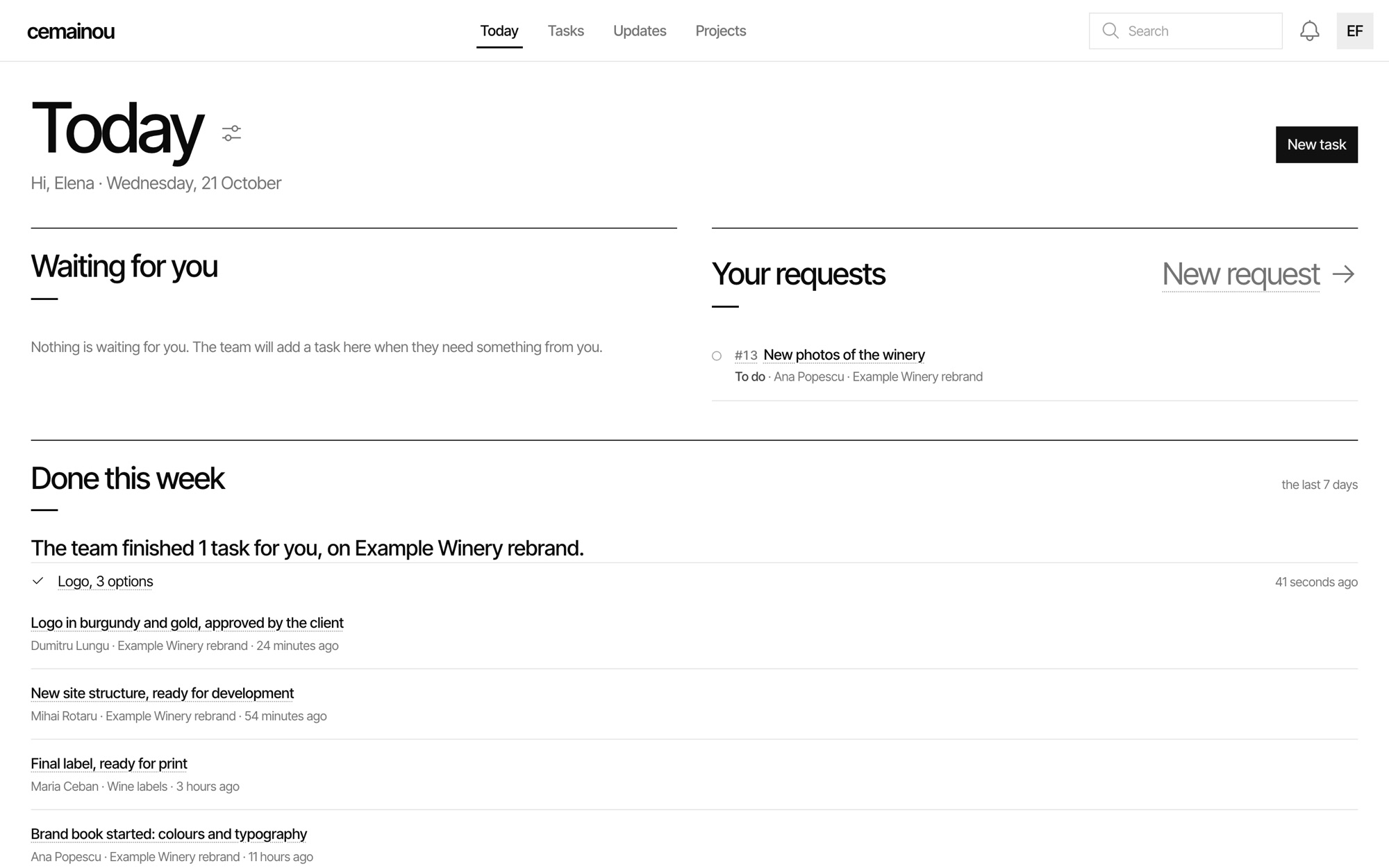
Today
Who’s working on what right now, what’s done and what’s blocked. Plus the latest badges.

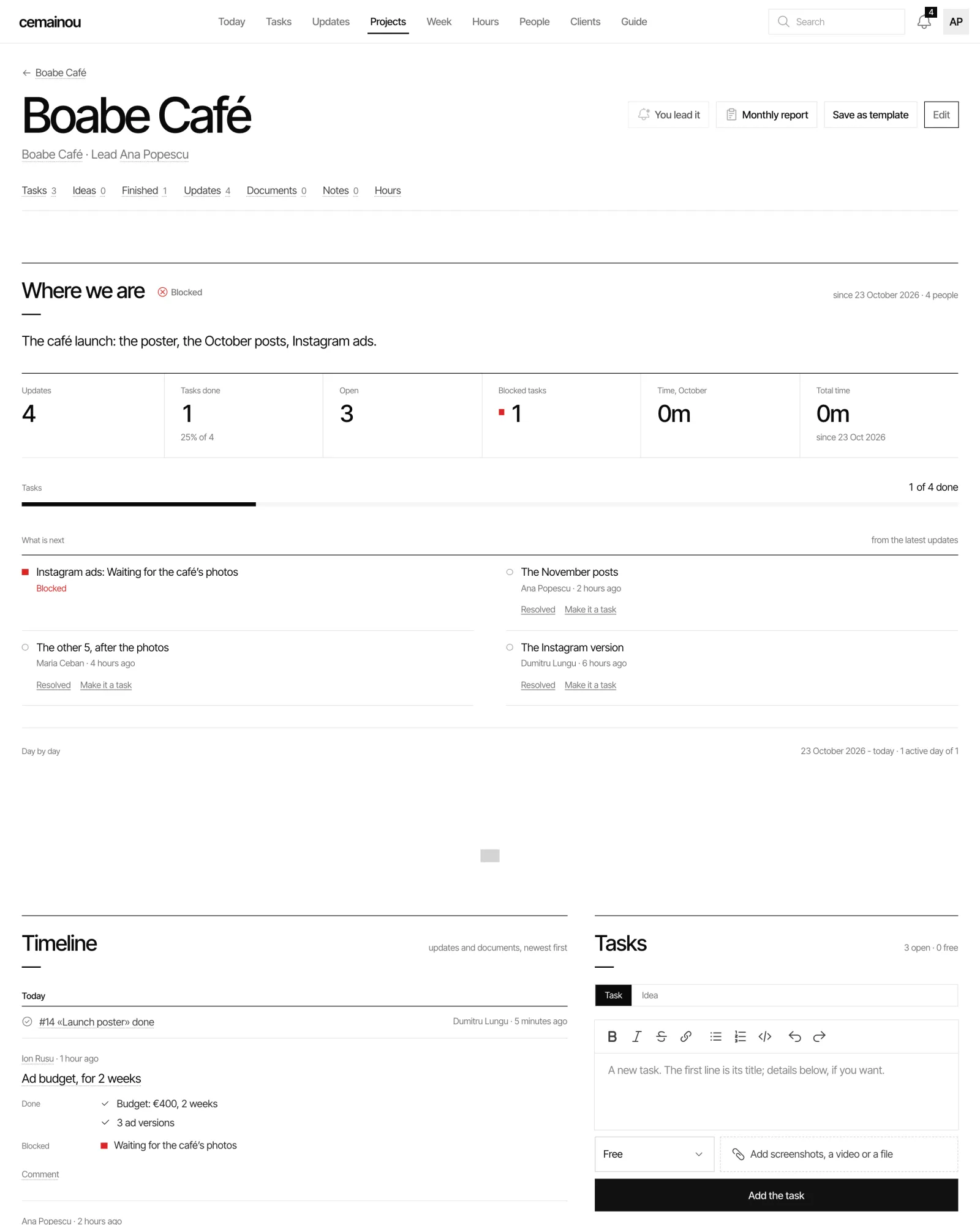
A project
Where things stand, who has which task, what’s next. Clients see only what you share.

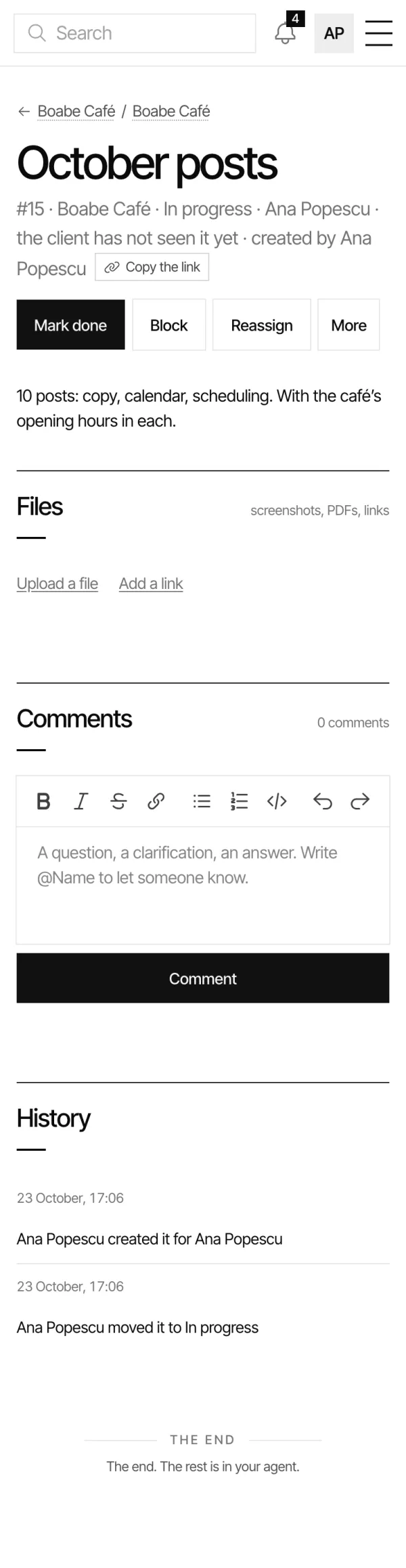
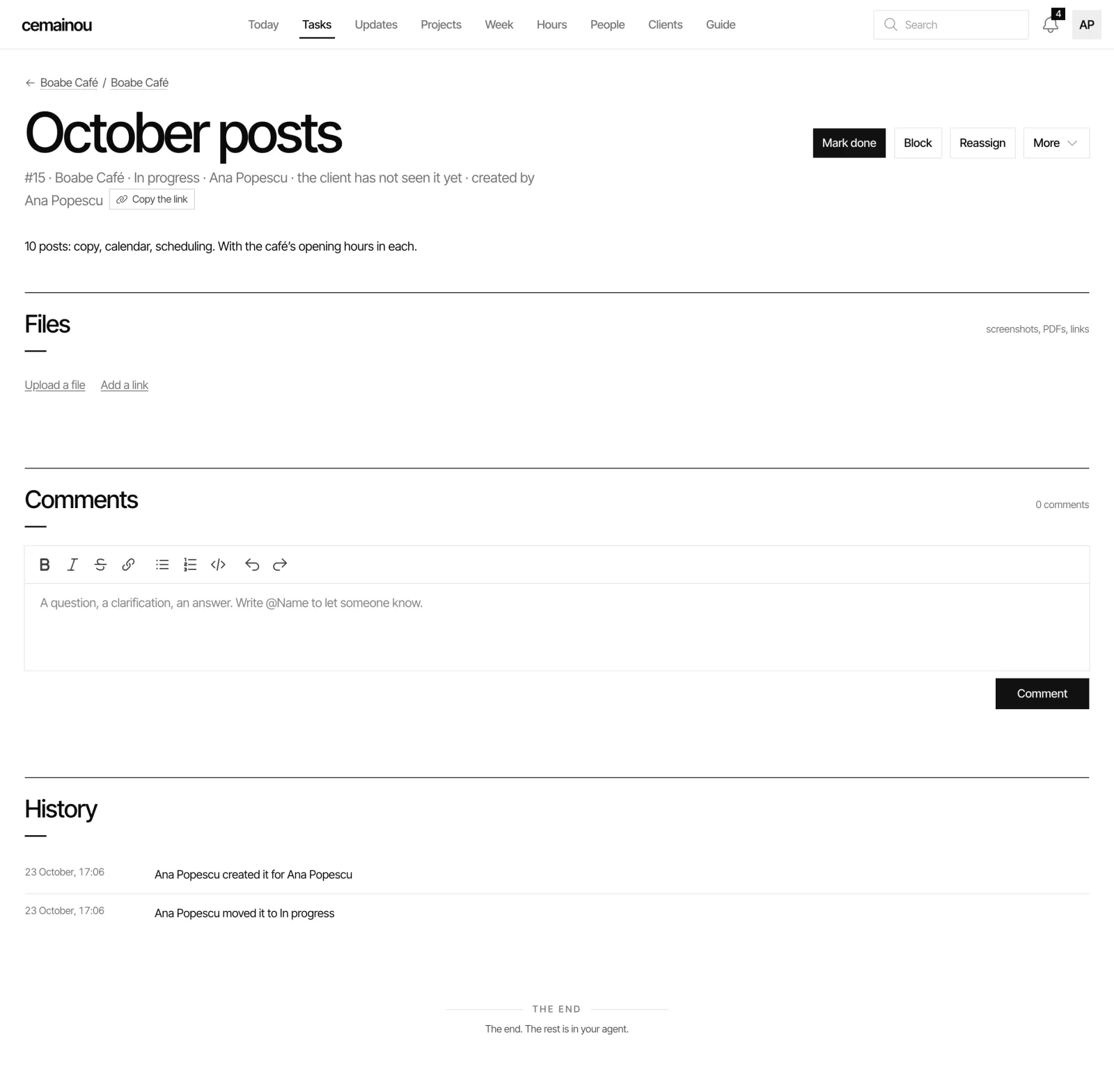
A task
Steps, files, comments and time, all in one place. The agent finds it on its own.
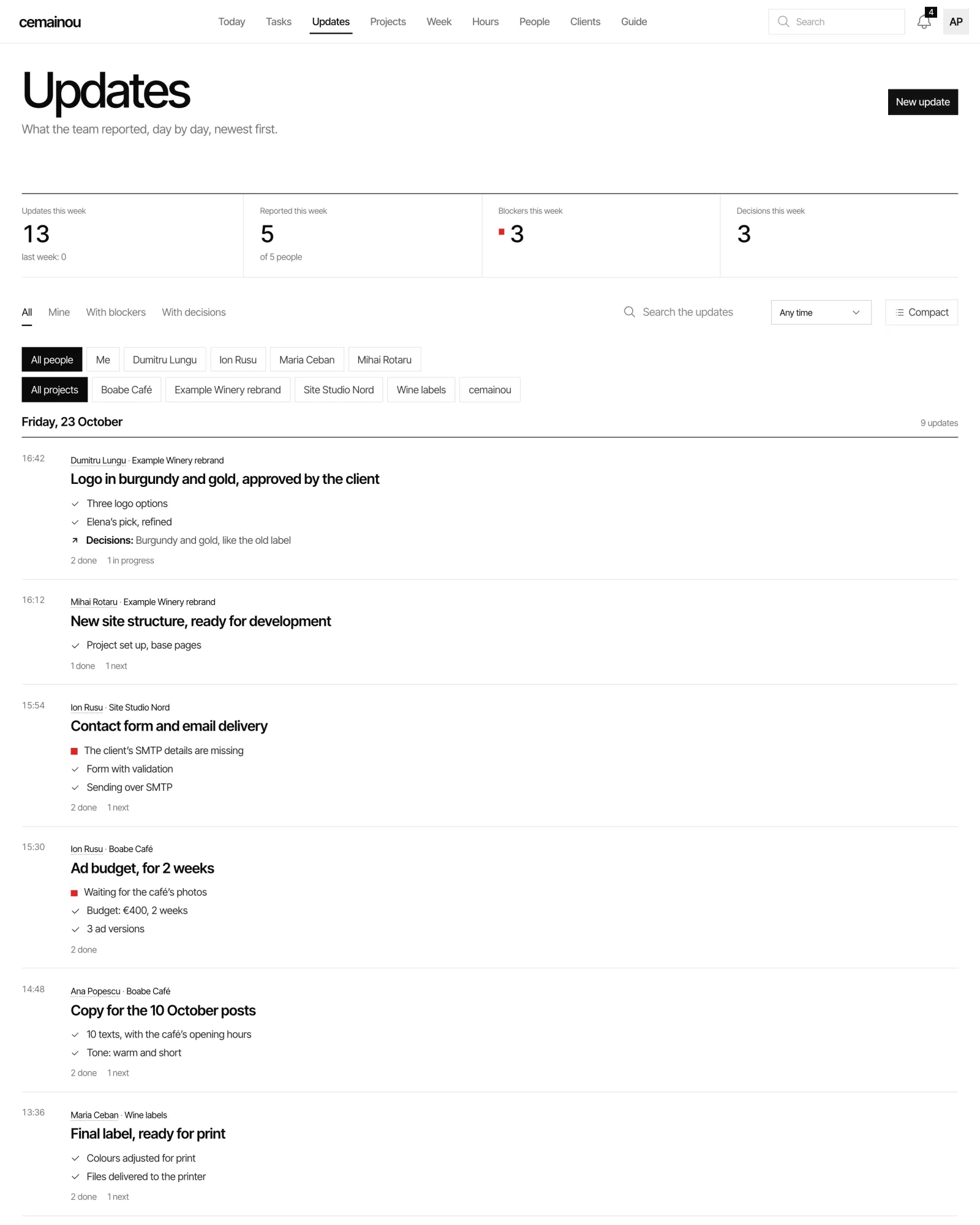
The updates
Day by day, what got done and how long it took. Agents write them, people approve them.

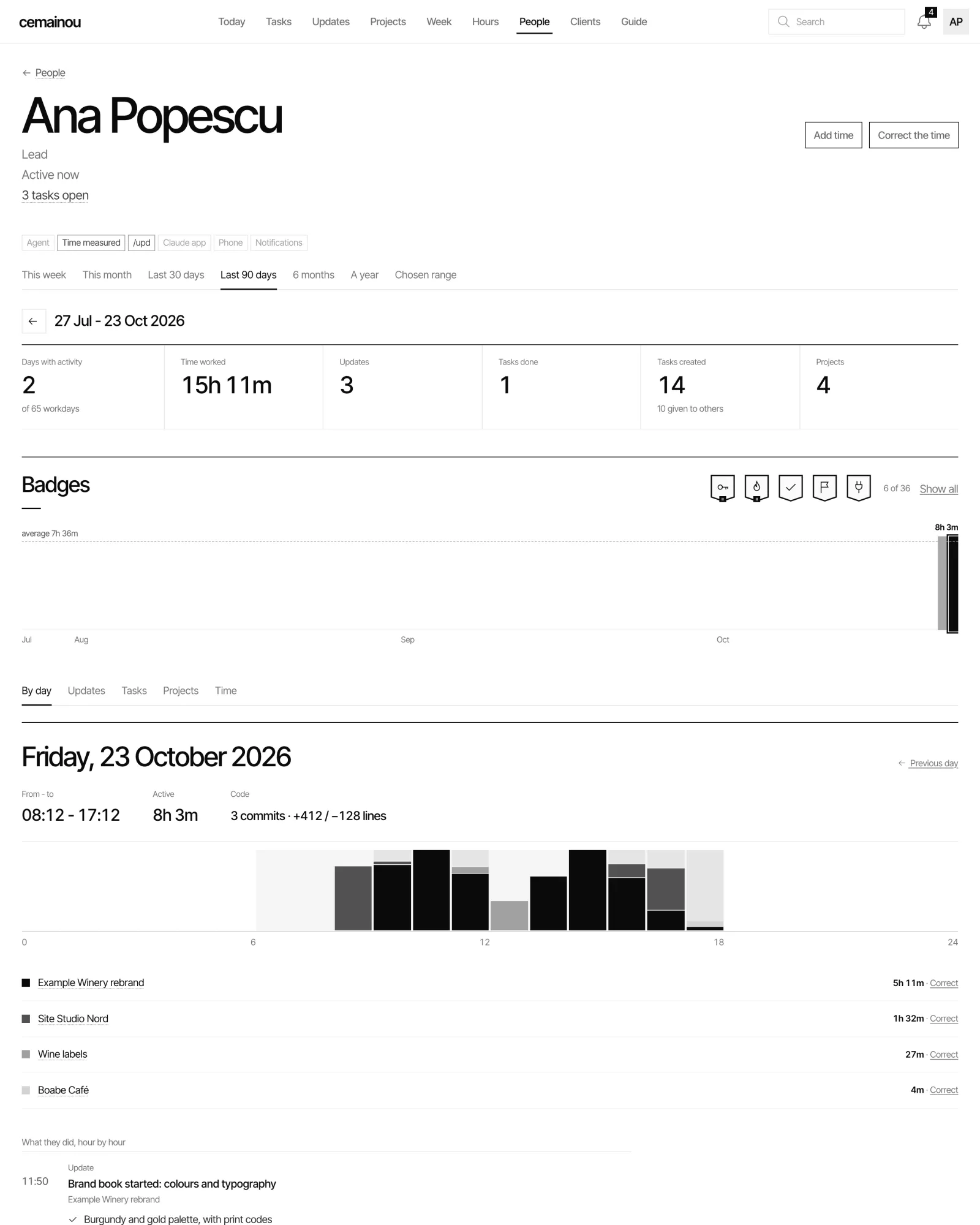
Everyone’s page
Their week by day and by hour, with updates, tasks and badges. No timesheets.

And there’s more.
Everything that makes the workday easier, for your team and your clients.
An app for desktop and phone
Install it from Chrome or Edge as an app on your computer: its own window, in the dock or taskbar, with notifications like any other app. On iPhone and Android, on the home screen.
Badges for good habits
For reporting regularly, unblocking teammates, writing down decisions and taking breaks. Never for long hours, and no leaderboard.
Time off
Mark it in your profile: your streak stays intact, and colleagues see on Today when you’re back.
Notifications
On your phone and computer: new tasks, comments, client replies.
Feedback on the website
Clients point at something on their own site; it becomes a task, screenshot included.
Email to task
Every project has its own address: an email sent there becomes a task, attachments included.
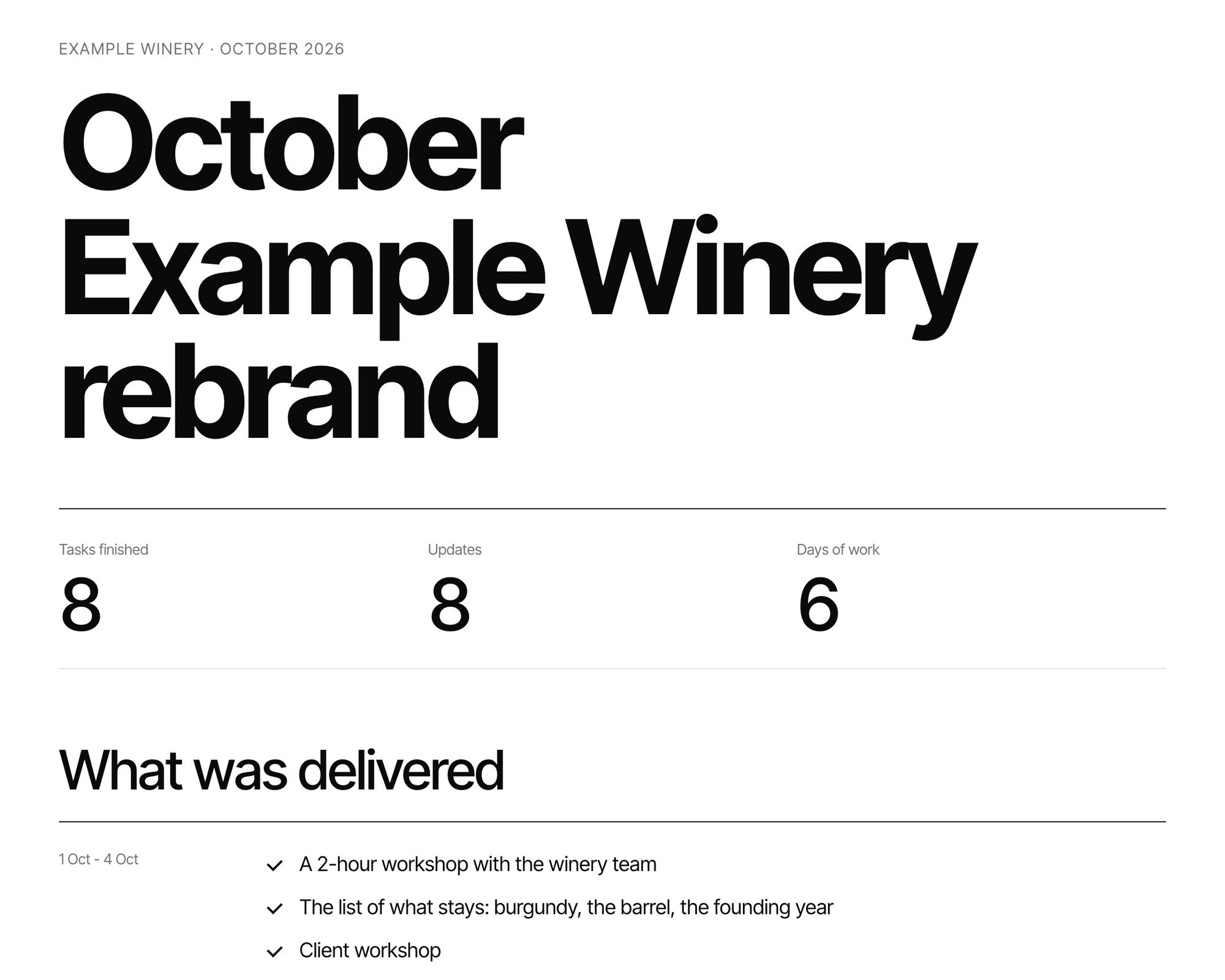
Monthly report
Ready on the 1st for every client; the lead reviews it and sends it.
Hours, no timesheets
Tracked from the agents’ sessions: per project, per client, per month.
Linked commits
“fixes #42” in a commit links the work to the task and closes it.
Telegram and Slack
Updates go to your team’s group; replying to a notification adds a comment.
Share from the phone
Share a photo, a link or some text from any app, and it lands in cemainou.
Recurring tasks
Set up repeating work once, like the monthly report or the Friday backup: when you close the task, it comes back on its own with the next due date.
Search everything
Tasks, documents, updates, comments and files, from a single search box.
English and Romanian
Everyone picks their language; the client gets everything in theirs.
Correct your time
Fix a wrong day with a visible correction and a reason; the measured time itself never changes.
Each person's page
Their week by day and by hour, updates, tasks created and done, projects and time.
Who sees whom
One rule everywhere: collaborators see only the people on their projects, and clients never see other clients.
What your agent can do.
Over MCP, from Claude Code, Cursor, Codex, Gemini CLI or the Claude and ChatGPT apps, with exactly the same permissions the person has in the app.
/upddrafts the update from git and the session; you approve it“Give Ana the homepage, by Friday”a task, assigned, with a due date“Bring me up to speed on Delta”the whole project in one answer: where it stands, who’s doing what, what’s blocked“Note an idea: dark mode”an idea on the project, in one line“I was on a call with the client for an hour”time the agent couldn’t see, logged to the right projectfixes #42a commit that closes the task and tells the clientSomething for everyone.
The lead
Says what they want, and the plan turns into assigned tasks. Sees at a glance what’s moving and what’s stuck.
The team
Knows what to do. The agent takes on what it can, and the reports write themselves.
Collaborators
Work alongside the team on their project and see only what’s relevant to them.
The client
Points at their site to show what should change, and it becomes a task. Gets told as soon as it’s done.
On your server.
Your data stays yours.
Installed on your server
Runs on regular shared hosting too, set up in ten minutes, no command line needed.
Sends nothing about you
It only checks rt.md for new versions. Feedback and “keep me posted” are optional and send only what you write.
Safe updates
Every version is signed and installs after a backup.
How we build it
We use it every day
cemainou started at RT Design Studio, for our own team. We needed every feature in it before anyone else did.
We build it the way we like it
Simple, clear, no fluff. We say “no” a lot, so what stays is worth it.
It grows from what you tell us
The feedback button in the app comes straight to us. We read everything and ship fixes fast: over 300 versions since early October.
Pay what it’s worth to you
No investors, no roadmap of promises. Support from the teams that use it keeps cemainou going.
Free. For any team.
Every feature and every new version, for any team size, on your own server. If it helps your team, support it: that’s what keeps cemainou going.
- Every feature
- Every new version
- No user limits, nothing to unlock
- The app shows you as a supporter
- Priority email support
- A say in what comes next
- Your company listed as a supporter, if you like
We send an invoice, payable by bank transfer; your supporter key arrives by email.
- No server needed
- Installed, updated and backed up for you
- The same cemainou, nothing missing
Nothing is held back until you pay. No limits, nothing to unlock: supporting cemainou is up to you.
You install it yourself, in a few minutes. Upload the archive, open the address and answer a few questions; the docs go step by step.
Supporters: RT Design Studio SRL, the very first: we build cemainou and use it every day.
The code is source-available under the FSL (Functional Source License): use and modify it for anything except building a competing product. Every version also becomes Apache 2.0 two years after its release.
What you install
and what you need.
What is on the server
One application: the web app for people and the MCP server for agents (at /mcp). Everything it stores lives in a single data folder: the database, files, backups and settings. You can replace the code at any time without touching the data.
What the server needs
- PHP 8.4, with the usual extensions (mbstring, intl, zip, openssl, sodium)
- SQLite (recommended) or MySQL / MariaDB
- HTTPS, for the agents
- Regular shared hosting is enough; a cron job is optional
Installing, in three steps
Upload the archive to your hosting and extract it. Open the address in a browser: the installer checks the server and asks for the database, your company and the first admin. Then everyone connects their agent from their Profile.
The agents
Claude Code, Cursor and Codex connect with a command copied from your Profile. The ChatGPT and Claude apps, on desktop or phone, are added as a connector, signed in with your cemainou account. Updates install from the app, after a backup.
How much space
The database stays small: a few MB for hundreds of updates. Most of the space goes to files you upload to projects (presentations, images, PDFs) and to the daily backups of the database and files; the last 7 are kept by default, and you can change that in Settings.
Questions
What exactly is cemainou?
A web app you install on your own server, plus an MCP server your team’s AI agents use to write into it: plans, tasks, what got done. People work in the app; agents work over MCP.
How is it different from Jira, Linear or Asana?
There, people type up tasks and status updates by hand. Here, the agents write them from the work they already do with you: the plan, the tasks, what got done and the hours. People read, decide and reply. And it runs on your own server.
Which agents work?
Any agent that speaks MCP: Claude Code, Cursor, Codex, Gemini CLI, the ChatGPT and Claude apps, on a computer or a phone. Everyone connects theirs once.
Do we have to use AI agents?
No. Tasks and updates can be written by hand too. With agents, they write themselves.
Can we work on the same project with different agents?
Yes. You with Claude, a colleague with Codex, someone else with Cursor: everyone writes into the same project, and cemainou pulls it all together.
Does the client need an AI agent?
No. They sign in from a browser or phone, ask for what they need, see what got done, and can point at anything on their site they want changed.
Do colleagues see what I write to my agent?
No. The agent sends only what you approve: the update text, the time and the project. Code, files and conversations stay with you.
Where does the data live?
On your server, in a data folder you control, with a daily backup. Nothing leaves it unless you choose.
What can a collaborator or a client see?
A collaborator sees only the projects they’ve been added to. A client sees only their own project, with no hours and nothing internal.
What does “cemainou” mean?
“Ce mai nou?” is Romanian for “What’s new?”: the question the app answers all day, for the whole team.
Who makes it?
RT Design Studio, a design studio in Chișinău, Moldova. We built it for our own team first and use it every day.
Download cemainou and have your team up and running tomorrow.
Before downloading: what the server needs and how to install · the full documentation